You can't tell who's on the call anymore
Deepfake video calls have already cost companies millions. A nametag doesn't prove who someone is, but it makes your own people consistent on camera.

In early 2024, a finance employee in Hong Kong joined a video call with the company’s chief financial officer and several colleagues. He’d had doubts about an email asking for a secret transfer. The call settled them: the people on screen looked and sounded like colleagues he knew. He sent about $25 million.
None of them were real. The engineering firm Arup later confirmed to CNN that it was the company involved, and that fake voices and images had been used.
The lesson isn’t that video is broken. It’s that “I saw them on the call” is no longer enough on its own, and most companies haven’t adjusted.
Why video calls are an easy target
Video carries a lot of trust. We read faces, voices and context, and we take what we see as confirmation. That’s exactly what made the Arup call work: the email was suspicious, the call was reassuring.
Meanwhile, the signals that help us place people on a call are weak:
- Display names are free text. In many meeting apps, anyone can join as any name.
- There’s rarely a title or a company on screen, so there’s no visible structure to notice when something’s off.
- Every person on your side looks different, so one more unfamiliar-looking tile doesn’t stand out.
What actually protects you
The protections that matter most aren’t about video at all. They’re about process, and they work whether the call is real or not.
- Verify requests through a second channel. Any request to move money, change bank details or share credentials gets confirmed by calling a known number or messaging a known account, never through the call or email that made the request.
- Require two people for payments. No single person, however senior they appear, can approve an unusual transfer alone.
- Treat urgency and secrecy as warning signs. “Don’t tell anyone, it has to go today” is the shape of most fraud.
- Make it safe to check. People should be able to say “I’m going to call you back on your usual number” to anyone, including the CFO, without it being awkward.
Nothing on a screen replaces those steps.
Where consistency helps
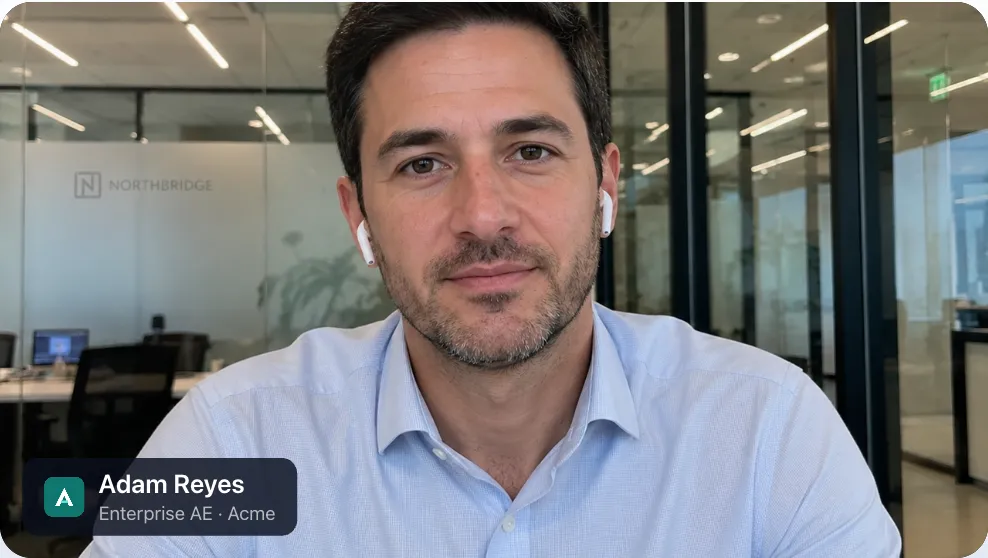
There’s a smaller, real benefit in making your own people look consistent on calls. When every employee shows up with the same kind of tag, with their name, title and company drawn from the company directory, a person who doesn’t have one is noticeable. It’s one more signal, not proof. But it changes the default from “everyone looks different” to “everyone looks the same, except that one.”
How Nametags fits, and what it doesn’t do
We want to be precise here, because overclaiming about security is how trust gets lost.
What it does. Nametags puts each employee’s name, title and company on their video, and your admins decide where those values come from. With SSO field mapping, names, titles and departments are filled in from your identity provider every time someone signs in, and overwrite what they typed. With policy, the company name and logo are locked for everyone, so nobody can change them.
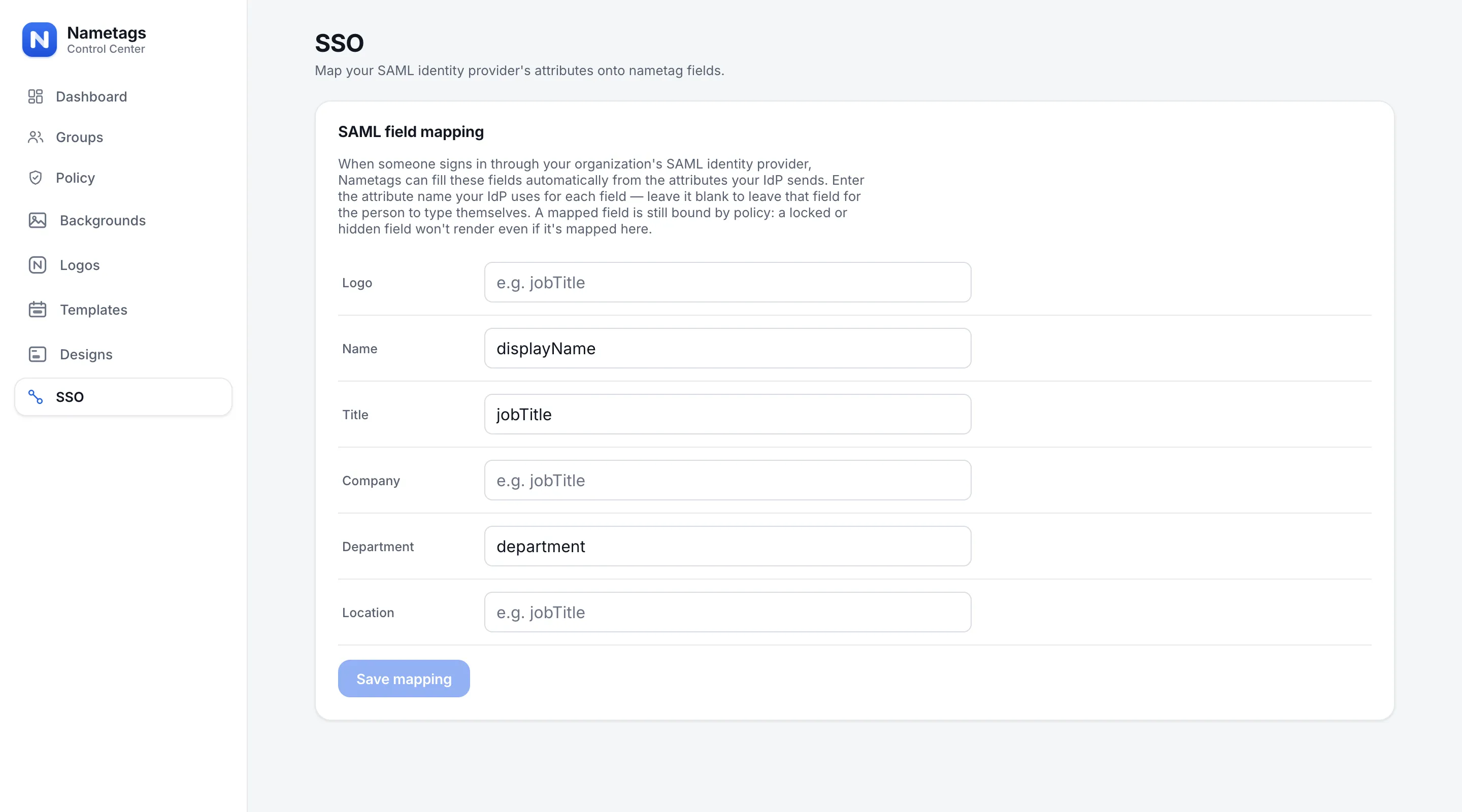
When someone leaves, deprovisioning them removes their tag: their next call renders without one. And because everyone who signs in with your company’s email domain joins your organization automatically, your people show up the same way across Zoom, Teams, Google Meet and Webex.
What it doesn’t do. A nametag doesn’t verify that the face on the video belongs to the name on the tag. It doesn’t detect deepfakes, and an outsider could draw something similar on their own video. It’s a consistency signal for your own people, and it belongs alongside the process controls above, not instead of them.
A short checklist for this quarter
- Write down the callback rule for payments and credential requests, and tell everyone it applies to executives too.
- Require two approvers for unusual transfers.
- Make titles and the company name visible on your people’s video, from the directory, so your calls have a consistent shape.
- Add impersonation on video to your security awareness training, with the Arup case as the example.
For more on how Nametags handles your data, see Why Nametags renders on your device, not in our cloud, or the security page.


