Who owns the brand on video calls?
Brand, IT and sales each assume someone else owns how the company looks on camera. Here's a simple split of who decides what, so it actually gets done.

Ask around your company who’s responsible for how your people look on video calls, and you’ll hear three answers.
Brand says it’s an IT question, because it happens in Zoom and Teams. IT says it’s a brand question, because it’s about logos and colors. Sales says it’s up to each rep. All three are partly right, which is why nobody does anything.
Why it falls between the cracks
Every other place your brand appears has an owner. The website belongs to marketing. Email signatures are usually a joint project: brand designs them, IT pushes them out from the directory. Slide templates live with brand, and the sales team uses them.
Video calls never got that treatment. They arrived fast, as a utility, and the company’s look on them was left to whatever each person’s laptop happened to show. A rep’s virtual background, their display name, whether their title appears at all: all of it is decided by one person, once, and rarely revisited.
The result is easy to see if you look at a few calls side by side. Different names, no titles, three versions of the logo, and a few kitchens. We wrote about what that costs in Your video calls are your biggest unbranded channel.
The split that works
The way out is to stop treating it as one decision. There are really three jobs, and each fits a team that already exists.
Brand decides what it looks like
- The logo and how it appears on a tag.
- The tag’s style, colors and where it sits on the video.
- Which fields people can change and which are fixed: the company name, for example, is fixed; how someone spells their own name isn’t.
- Seasonal and campaign moments, like a launch week or the holidays.
IT decides how it gets there
- How the app is installed: by each person, or pushed through device management.
- How people sign in, and whether titles and departments come from the directory.
- The security review, and what data is stored.
Team leads decide that it’s used
- Which teams start first. Usually the ones on the most external calls.
- Making it part of how the team works: onboarding, call prep, the kickoff deck.
- Noticing who hasn’t switched over, and asking why.
Write these three lists down, with a name next to each, and the question stops being “who owns this?” and becomes three small jobs that each have an owner.
What it looks like in practice
The split only works if each team can do its part without waiting on the others. That’s how Control Center, the Nametags admin console, is laid out.
Brand’s part is policy and assets. Policy sets each field on the tag to editable, locked or hidden, for the whole company or more strictly for a group. The logo goes in the library, and templates schedule a seasonal logo or background that starts and ends on its own.
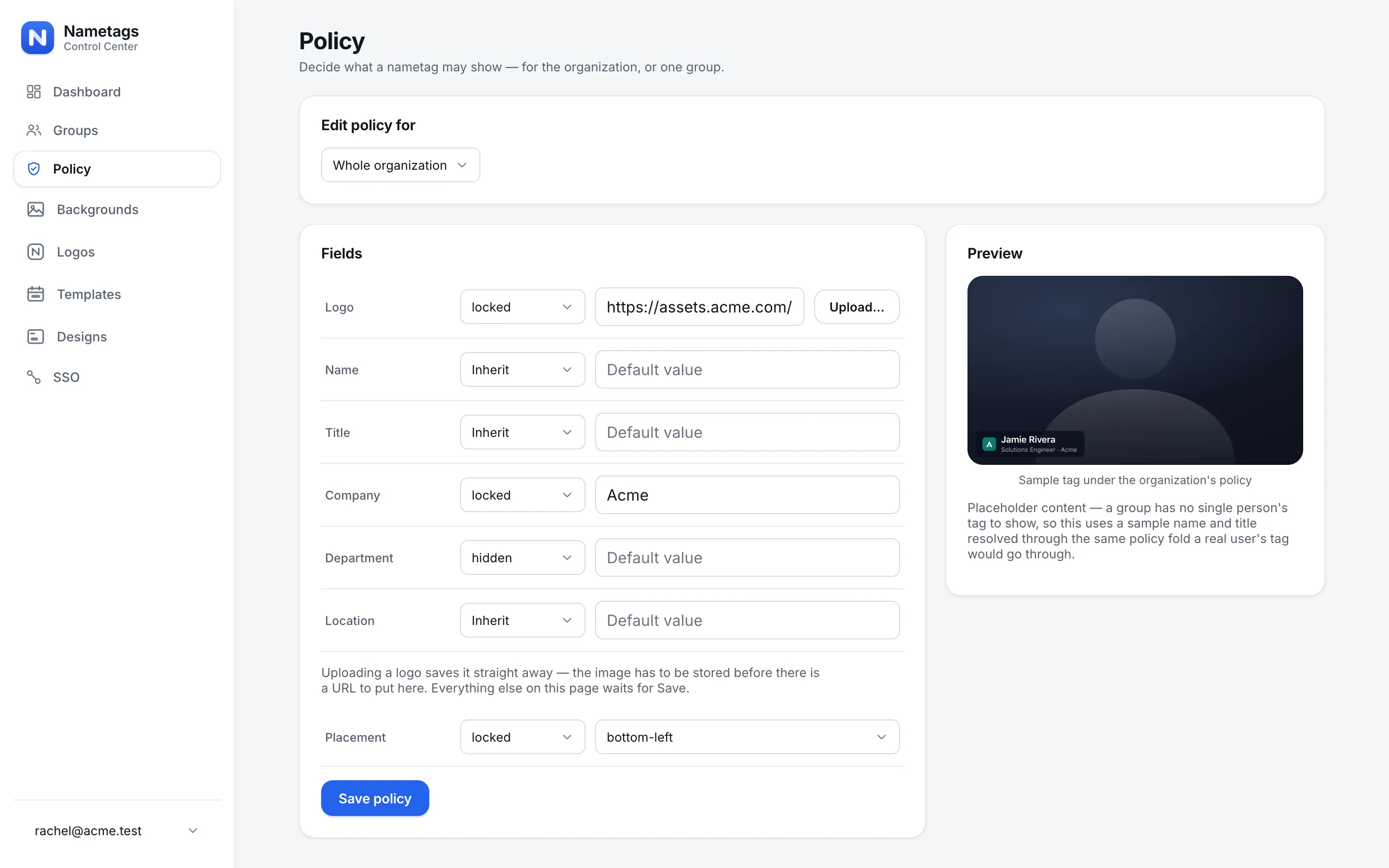
IT’s part is identity and deployment. SSO field mapping fills in names, titles and departments from your identity provider at each sign-in, so nobody types a title and tags follow role changes. The desktop app can be pushed with device management, and Nametags renders on the device, so there’s no meeting data to review.
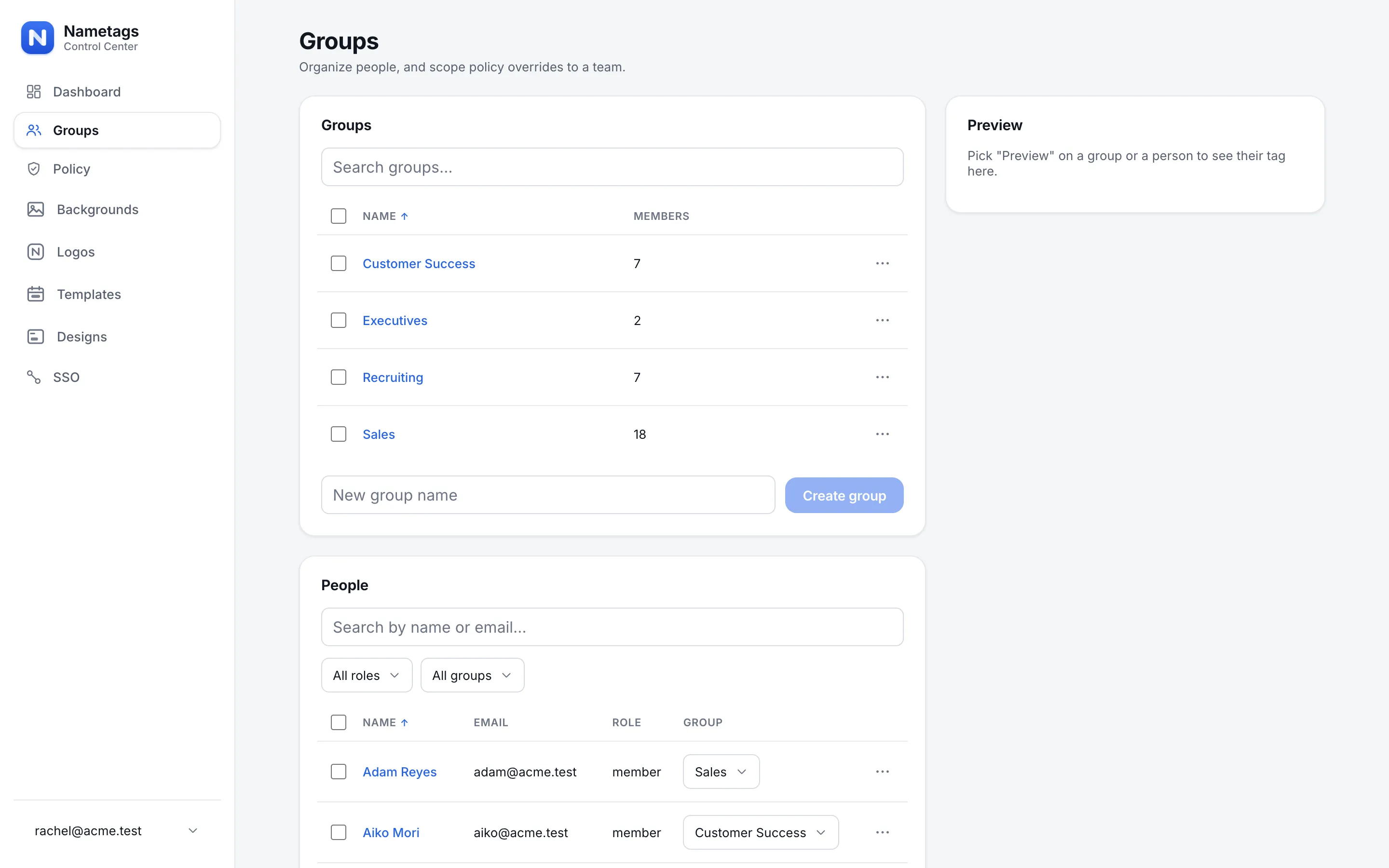
Team leads’ part is groups and adoption. Groups let each team have its own rules: sales carries the logo, executives get fully locked titles. The dashboard shows how many people actually used it in the last week, by group.
Getting started
You don’t need a committee. Pick the one person in brand, one in IT and one team lead, and give them the lists above. Then run a 30-day pilot with one team. By the end of it, each of the three will know exactly what their part involves, and you’ll have the numbers to decide what happens next.
If the decision needs a sponsor, Convince your boss has the ROI, the security answers and a pitch you can send as it is.


